
How to Organize Your First Padel Tournament with Padelio Mobile App

Organizing a padel tournament has never been easier. Whether you're planning a casual weekend event or a competitive tournament, the Padelio mobile app provides everything you need to create, manage, and track professional-quality padel tournaments right from your smartphone.
Why Use Padelio for Your Padel Tournament?
Traditional tournament management involves spreadsheets, manual pairings, paper scorecards, and countless WhatsApp messages. Padelio eliminates this complexity with:
- Automated match pairings using smart algorithms
- Real-time scoring and live standings
- Instant player notifications for matches and updates
- Multiple tournament formats to suit any playing style
- Guest player support for non-registered participants
- QR code sharing for easy tournament promotion
Let's dive into how you can organize your first tournament in minutes.
Step 1: Choose Your Tournament Format
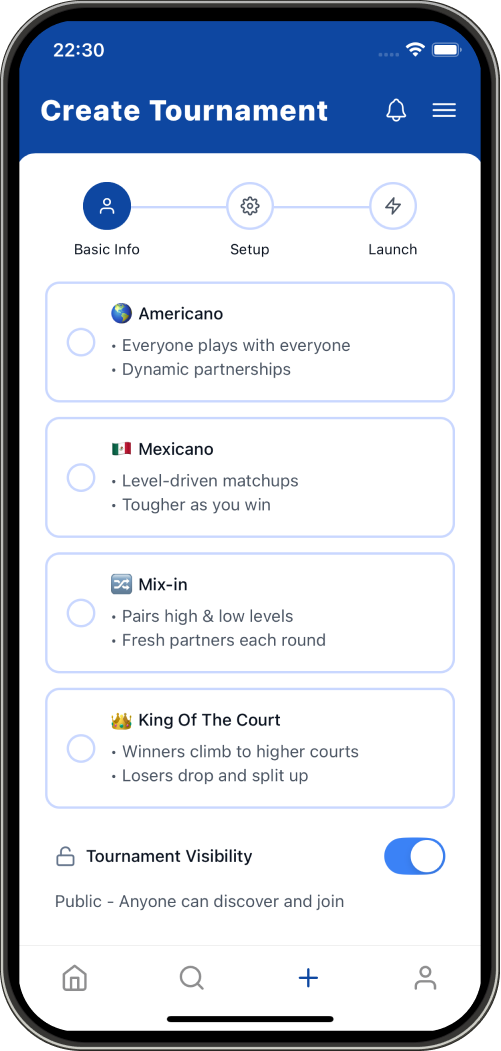
Padelio supports 4 distinct tournament formats, each designed for different playing styles and group dynamics:
🎾 Tournament Formats Available:
- Americano - Players rotate partners and opponents throughout rounds
- Mexicano - Dynamic pairing based on current standings
- Mixin - Mixed doubles format with gender-balanced teams
- King of the Court - Elimination-style competitive format
Each format offers two scoring variants:
- Competitive Mode: Best-of-3 sets with detailed game tracking
- Classic Mode: Simple point-based scoring for casual play
Singles or Doubles?
Every format supports both:
- Singles (2 players per match)
- Doubles (4 players per match)
For team-based events, enable the "Fixed Pairs" option to keep partners together throughout the tournament.
Step 2: Set Up Tournament Details
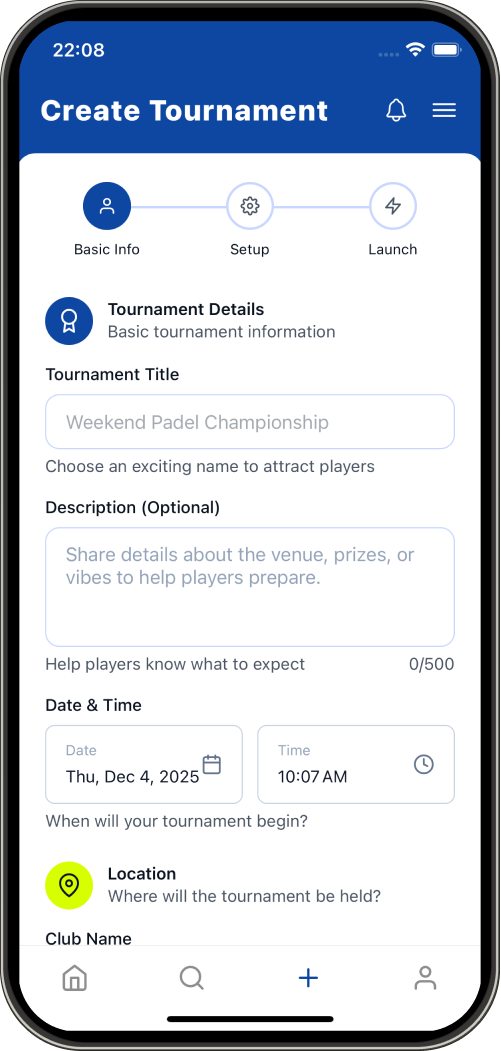
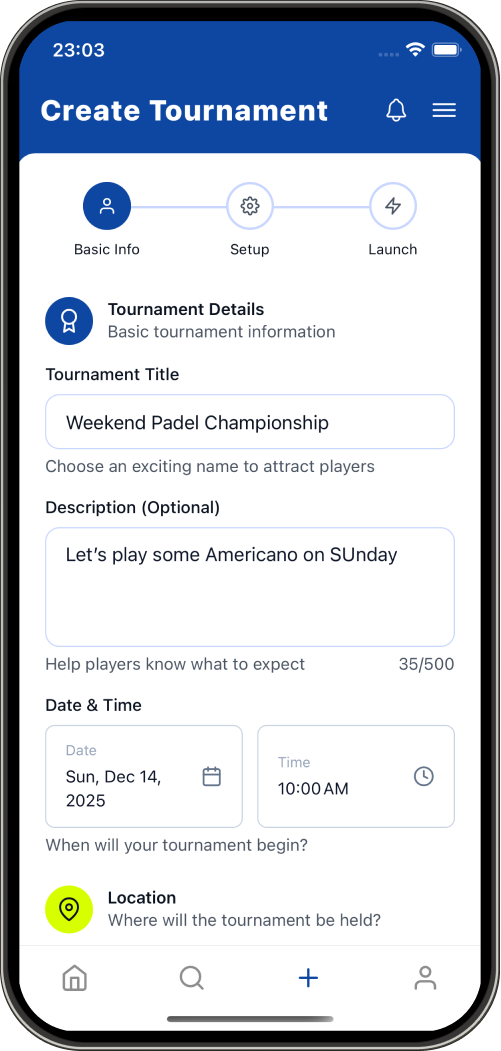
The intuitive multi-step creation wizard guides you through:
Basic Information
- Tournament Title - Give it a memorable name
- Location - Add venue address for easy discovery
- Date & Time - Schedule your event
- Sport Type - Padel (with future support for other racquet sports)
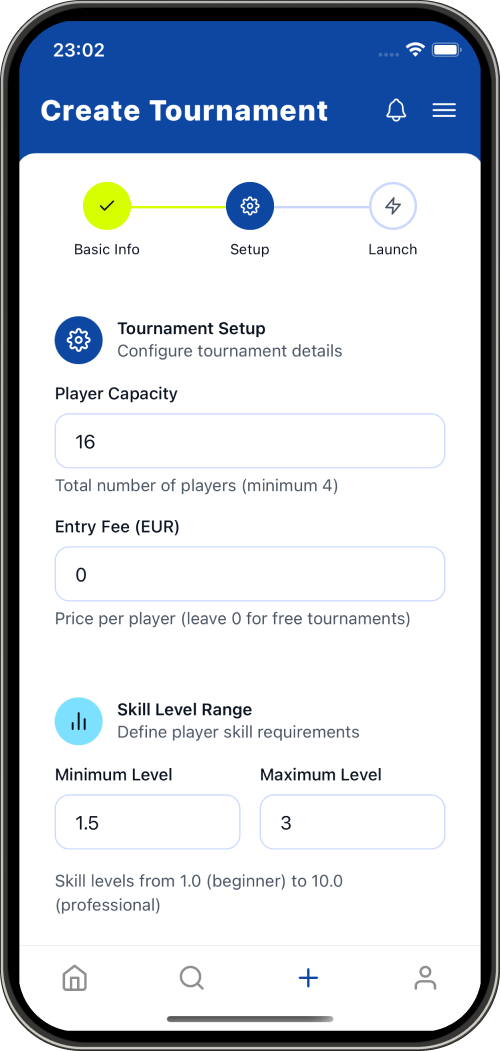
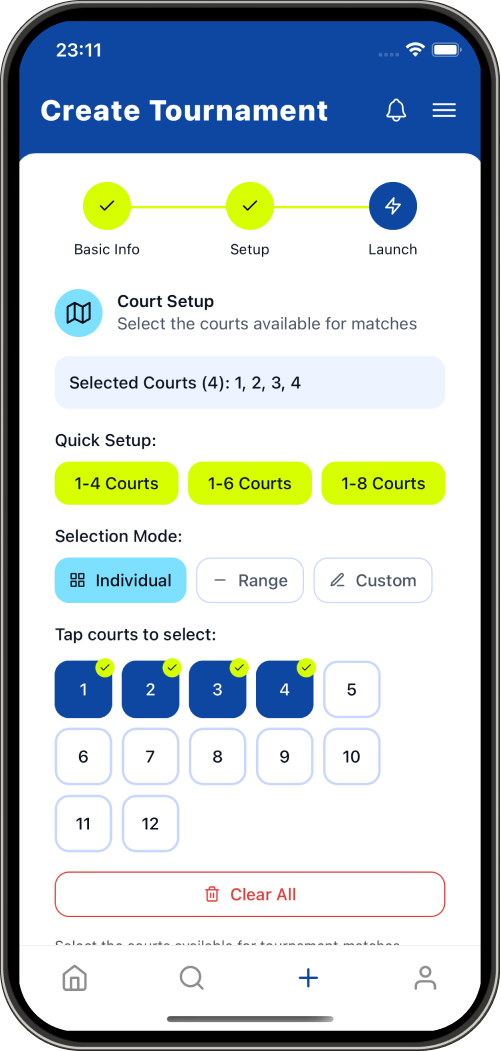
Advanced Settings
- Player Capacity - Set maximum participants (auto-manages waitlist)
- Level Requirements - Filter by skill level (1-10 scale)
- Entry Fee - Optional pricing for paid tournaments
- Court Management - Add multiple courts for parallel matches
Privacy Options
- Public - Discoverable in browse section
- Private - Join only via invite or QR code
- Join Code - Generate unique 6-character codes
Step 3: Manage Players & Invitations
Padelio offers flexible player management to accommodate any scenario:
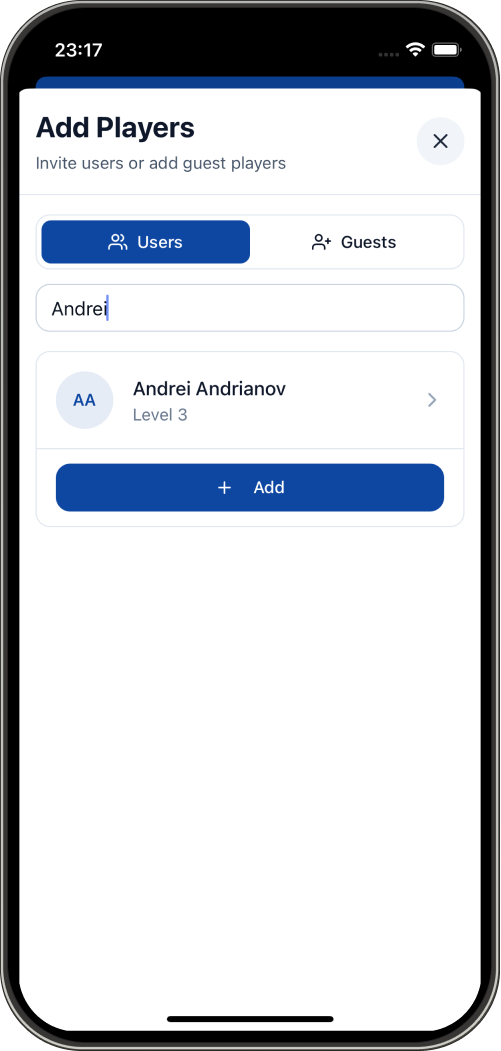
Invite Registered Users
Search the Padelio community and send direct invitations. Players receive instant notifications and can accept/decline from their dashboard.
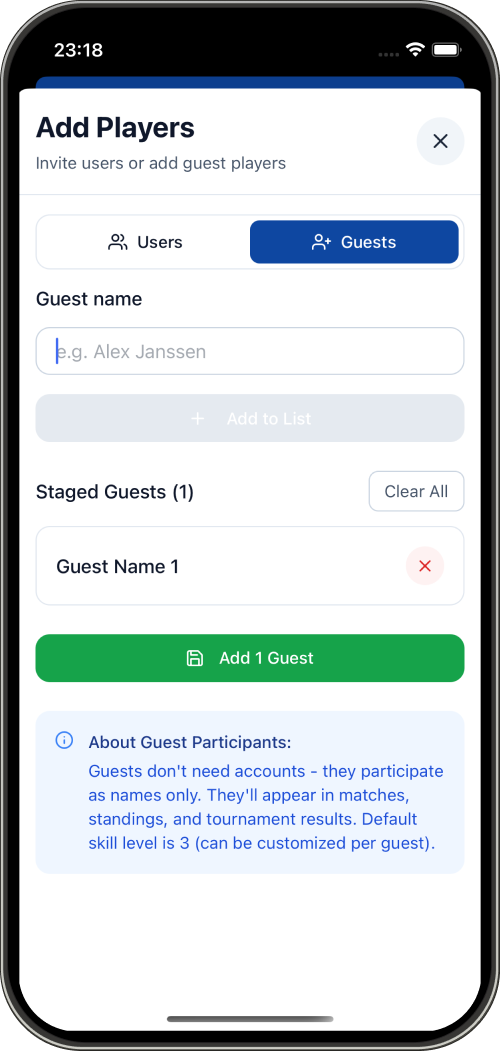
Add Guest Players
Don't have enough registered players? No problem! Add guests by entering:
- Player name
- Skill level (1-10)
- Contact information (optional)
Waitlist System
When your tournament reaches capacity, additional players automatically join the waitlist. If someone cancels, waitlisted players are notified instantly.
Fixed Pair Management
For team tournaments, use the Fixed Pairs feature:
- Create pair slots (e.g., "Team A", "Team B")
- Assign 2 players per slot
- Teams stay together throughout all rounds
Step 4: Share Your Tournament
Make it easy for players to find and join your event:
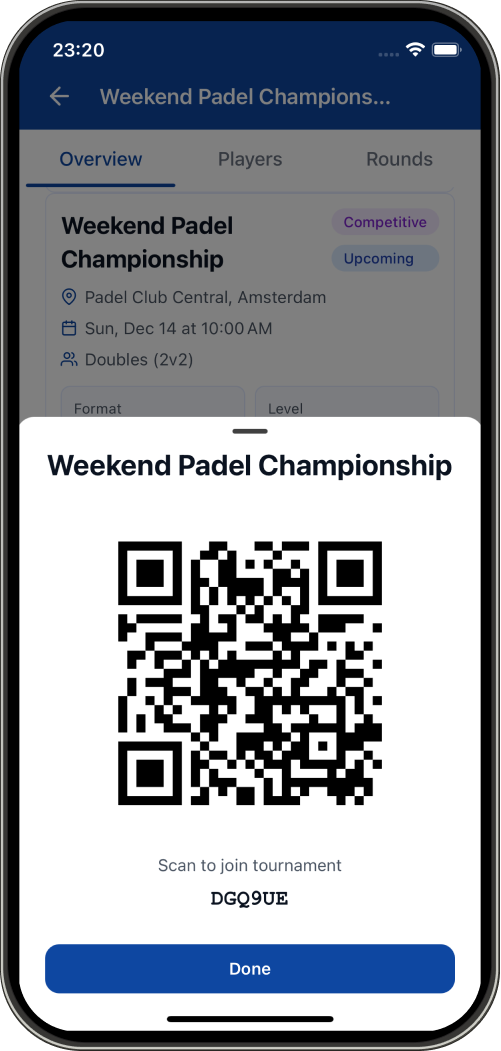
QR Code Generation
Generate a unique QR code that players can scan with their phone camera to instantly join your tournament.
Share Link
Copy and share the tournament deep link via:
- Social media
- Club websites
Browse Discovery
Public tournaments appear in the Browse section where players can:
- Filter by location (radius search in km)
- Filter by format type
- Filter by skill level range
- Filter by price and available spots
- Search by tournament title or city
Step 5: Start & Manage Matches
Once you have enough players, Padelio automates the entire tournament flow:
Pre-Start Validation
The app validates:
- ✅ Minimum player count met
- ✅ Court assignments configured
- ✅ All required settings complete
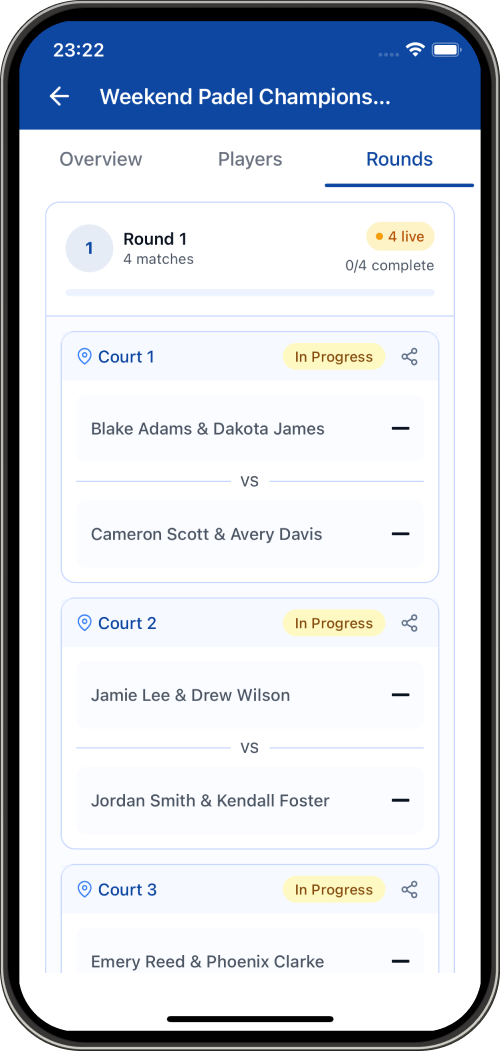
Automatic Match Generation
Click "Start Tournament" and watch the magic happen:
- Smart pairing algorithms create balanced matches
- Court numbers automatically assigned
- Round structure generated
- Players notified of their first match
Real-Time Scoring Options
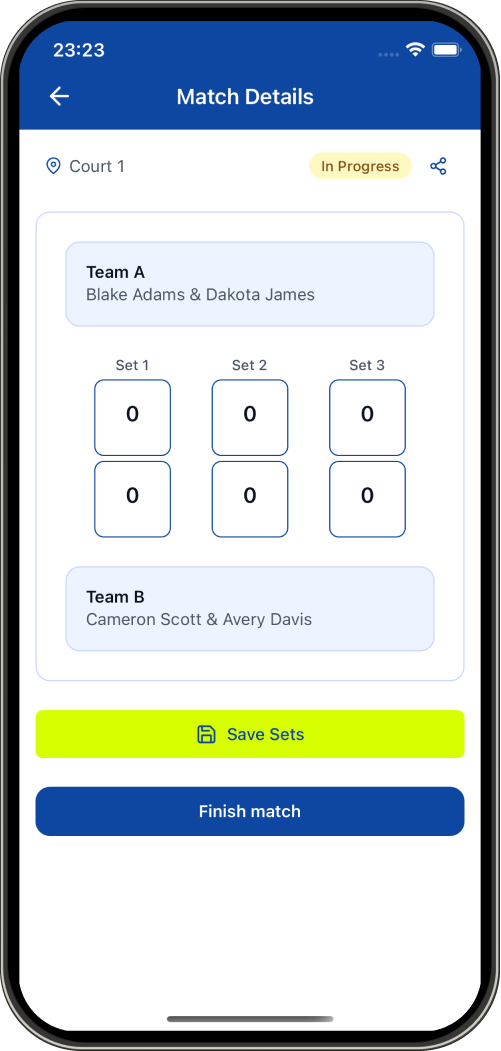
Competitive Mode (Best-of-3 Sets)
Perfect for serious tournaments:
- Game-by-game score tracking
- Set scores visible in standings
- Tiebreak support
- Automatic winner determination
Classic Mode (Point-Based)
Ideal for casual events:
- Simple point totals
- Quick match completion
- Easy score entry
- Focus on fun over formality
Match Status Tracking
Monitor all matches across three states:
- 🟡 Upcoming - Scheduled but not started
- 🟢 In Progress - Currently being played
- ⚫ Finished - Completed with results
Step 6: Live Standings & Progression
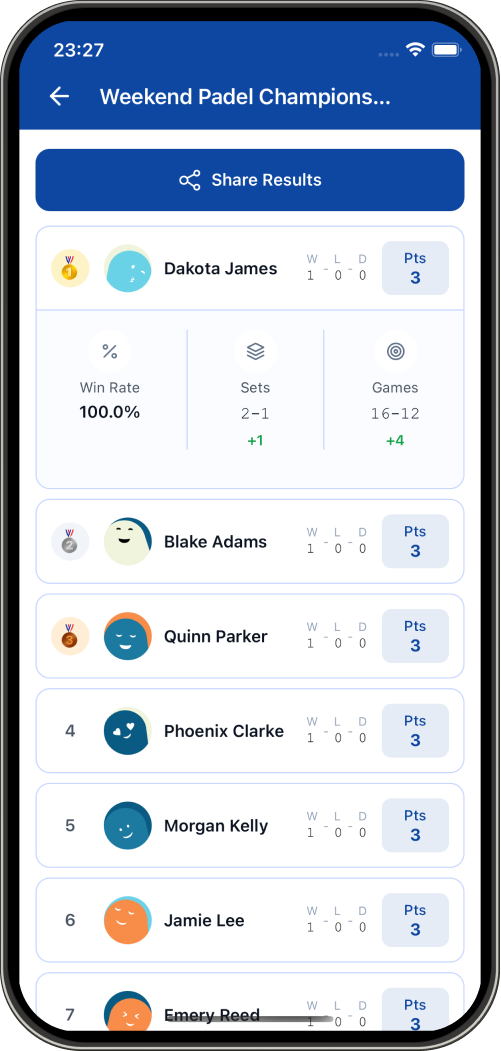
Real-Time Leaderboard
Padelio automatically calculates standings after each match:
Ranking Criteria:
- Matches Won
- Total Points Scored
- Point Differential (For - Against)
- Games Won/Lost (Competitive mode)
- Sets Won/Lost (Competitive mode)
Automatic Round Generation
After all matches in a round complete, Padelio:
- Updates standings
- Generates new pairings based on format rules
- Notifies players of next matches
- Assigns courts for the new round
No manual intervention required!
Ongoing Match Banner
The dashboard features an animated pulsing indicator when you have active matches, making it easy to jump straight to score entry.
Step 7: Finish & Share Results
Tournament Completion
When all rounds are complete, finish the tournament to:
- Lock final standings
- Award achievements to top performers
- Generate shareable result cards
Player History
All tournament results are permanently stored in:
- Your tournament creation history
- Participants' joined tournament history
- Player statistics and win rates
Pro Tips for Successful Tournaments
1. Set Realistic Capacity
Consider your available courts and time. A good rule:
- 2 courts: 8-12 players
- 3 courts: 12-16 players
- 4+ courts: 16-24 players
2. Use Level Restrictions
Create more competitive and enjoyable matches by setting appropriate level ranges:
- Beginners: Level 1-4
- Intermediate: Level 4-7
- Advanced: Level 7-10
3. Enable Fixed Pairs for Leagues
Running a league or team championship? Fixed Pairs ensure consistent partnerships and team identity.
4. Plan Round Duration
Estimate match time:
- Classic Mode: 10-15 minutes per match
- Competitive Mode: 20-30 minutes per match
5. Assign Court Supervisors
For larger tournaments, designate players or volunteers to:
- Verify scores
- Assist with app usage
- Handle disputes
- Keep matches on schedule
6. Test Before the Event
Create a test tournament with yourself and a few friends to familiarize everyone with the scoring interface.
Tournament Limits & Features
Free Account Benefits
- Create up to 3 active tournaments simultaneously
- Unlimited finished tournaments in history
- Full access to all tournament formats
- Player management tools
- Real-time scoring and standings
Multi-Tournament Management
Organize multiple events:
- Weekly club ladders
- Monthly championships
- Special holiday tournaments
- Corporate team-building events
Real-World Use Cases
1. Club Weekly Ladder
Format: Americano (Classic)
Players: 12 regular members
Duration: 2 hours
Courts: 3
2. Corporate Tournament
Format: Fixed Pairs Doubles
Players: 16 (8 teams)
Duration: Half-day event
Special: Team names and branded tournament title
3. Charity Fundraiser
Format: Mexicano (Competitive)
Players: 24 participants
Entry Fee: Donation-based
Courts: 4
4. Beginner Clinic Tournament
Format: Mixin (Classic)
Players: 8 beginners
Level Restriction: 1-4
Focus: Learning and fun
Getting Started Today
Ready to organize your first tournament?
- Download Padelio from the App Store or Google Play
- Create your account using Telegram sign-in
- Tap "Create Tournament" on the dashboard
- Follow the wizard to set up your event
- Invite players and start playing!
Common Questions
Q: Can I edit tournament details after creation?
A: Yes! You can modify details before the tournament starts. Once started, core settings are locked to maintain fairness.
Q: What happens if a player doesn't show up?
A: You can remove players before starting. Once started, they'll receive automatic losses for rounds they don't play.
Q: Can I cancel a tournament?
A: Absolutely. Tournament organizers can cancel events at any time. All participants receive notifications.
Q: Is there a cost to organize tournaments?
A: Creating and managing tournaments is completely free. Optional entry fees you set go directly to you, though you need to make sure yourself that players actually paid.
Q: How many rounds should I plan?
A: Most Americano/Mexicano tournaments run 5-7 rounds. More rounds provide better final rankings.
Conclusion
Padelio transforms tournament organization from a stressful chore into an enjoyable experience. With automated pairings, real-time scoring, and professional-quality standings, you can focus on playing instead of managing spreadsheets.
The combination of multiple tournament formats, flexible player management, and automated progression makes Padelio the most comprehensive padel tournament solution available on mobile.
Start organizing better tournaments today - your players will thank you!
Keywords: padel tournament app, organize padel tournament, padel tournament software, mobile tournament management, padel tournament formats, americano tournament, mexicano tournament, padel scoring app, tournament organization app
Related Features: Player management, real-time scoring, tournament formats, QR code sharing, automated pairings, live standings